Shipping StackCalc v1.1 on the App Store: A Clean-Room RPN Calculator That Grows With Your Kid (SC-6 to SC-32)
When I trained my own kids to use Reverse Polish Notation (RPN) on a SwissMicros DM41CC, three things became immediately obvious:
1. Kids do not struggle with RPN—they struggle with infix parentheses. Pushing two numbers onto a visible stack and combining them matches the exact order in which children push physical blocks together on a desk. Even better, because there is no hidden infix parser behind an = key, users learn operator-precedence parsing in their own minds in order to decompose and enter expressions onto the stack—appreciating the lessons learned in the past 50 years of computing so they can build the next 50 years.
2. Handing a student a CAS calculator is a trap for exams. Because Computer Algebra System (CAS) calculators are banned on the SAT, ACT, IB, UIL, NCEES FE/PE engineering exams, and university calculus midterms, we purposefully designed StackCalc to be allowed in testing situations (no CAS symbolic manipulation, no QWERTY keyboard, and no wireless transceivers on the hardware).
3. Sending a kid to school with a $250 collector's calculator or a $200 vintage eBay HP-32SII is a terrible idea.
That realization sparked the overarching vision for StackCalc: building a low-cost, kid-friendly RPN calculator and tactile learning ecosystem that grows with a student from first grade through university engineering—starting with our small-batch maker hardware at $89.99 while engineering our production roadmap toward a $29.99 student backpack target.
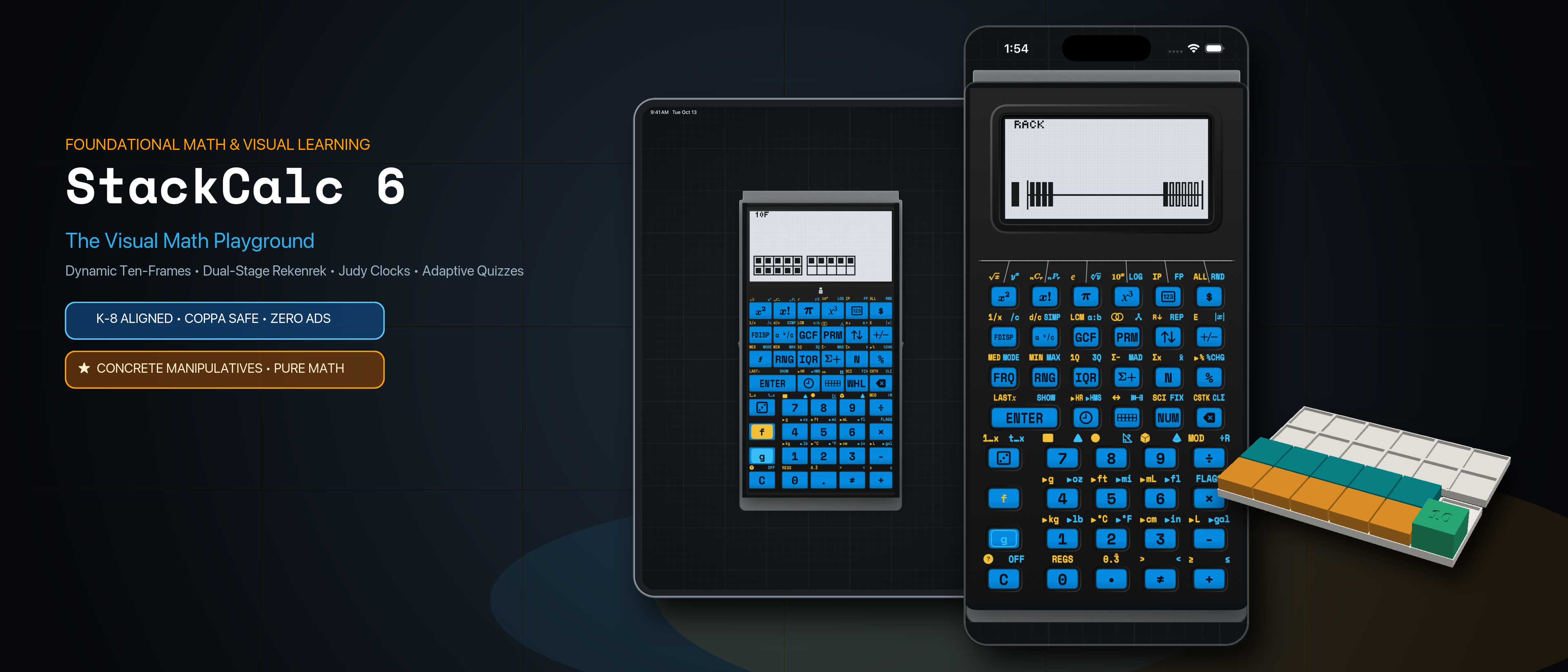
Today, StackCalc Calculator v1.1 is live on the Apple App Store for iPhone, iPad, and as a 100% standalone Apple Watch app, uniting Visual Learning Mode (StackCalc 6) for Common Core K–6 math with Scientific Mode (StackCalc 32) inside one universal binary.
1. Why the HP-32SII Architecture Over the HP-15C or HP-42S?
As a longtime collector who used an HP-32SII in high school—and currently owns a DM42 (converted to a C47 with custom-printed and cut labels), a DM32, a DM41CC, and a DM15CC—I weighed all three classic HP architectures before designing StackCalc 32:
- Why not the HP-42S / C47? While powerhouse instruments on an engineer's bench, burying everyday operations inside deep hierarchical softkey menus slows down students and hides what the calculator can do.
- Why not the HP-15C? The horizontal Voyager form factor and two-digit numeric matrix/label codes are iconic, but less intuitive for a student's first scientific instrument.
- Why the HP-32SII? The 32SII achieved the ideal ergonomic balance: almost every essential scientific operation sits directly on the primary or shifted keys with zero menu diving, while a clean 1-line context menu handles grouped actions like
CLEAR,STAT,SOLVE, andINTG.
2. Not an Emulator: Clean-Room RPNCore Upgrades (H.M., TVM, POLY, PLOT)
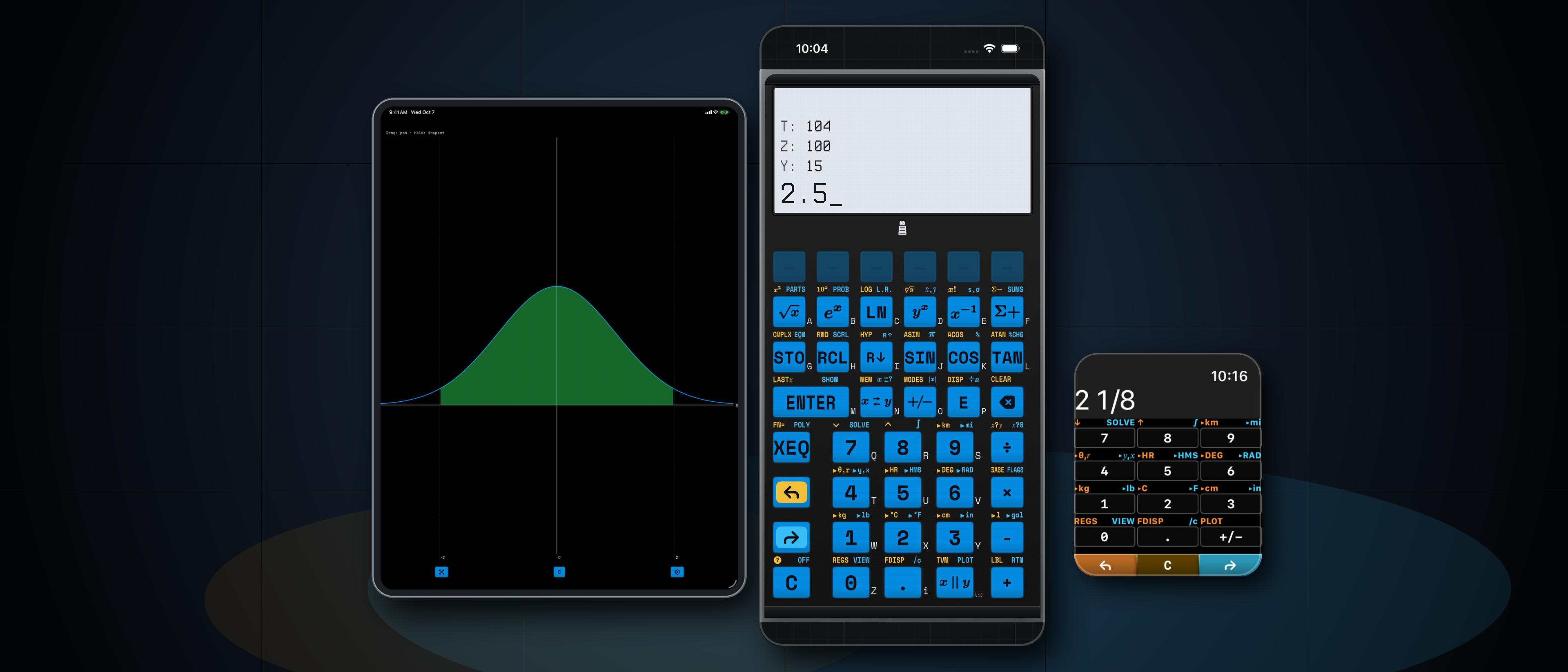
Unlike vintage calculator apps that wrap dumped 1980s ROM microcode, StackCalc is powered by RPNCore—a clean-room engine written from scratch in Swift that compiles natively to watchOS, iOS, and bare-metal Raspberry Pi RP2350 silicon (via Embedded Swift).
Writing a clean-room engine allowed us to preserve the classic 4-level stack (X, Y, Z, T), LASTx, and 26 lettered registers (A–Z) while adding the modern capabilities we always wished the original HP-32SII had:
- Harmonic Mean (
H.M.): Built directly into theSTATanalysis suite alongside arithmetic and weighted means for rates, parallel resistance, and physics labs. - Time Value of Money (
TVM): Dedicated 5-variable financial solver (N,I%YR,PV,PMT,FV) for personal finance and engineering economics. - Quadratic & Cubic Polynomial Root Solver (
POLY): Solves real and complex roots for \(Ax^3 + Bx^2 + Cx + D = 0\) without requiring iterative root-guessing. - Interactive Function & Regression Plotting (
PLOT): Renders live function curves, roots, Simpson shaded integrals, and statistical scatter plots directly on the monochrome dot-matrix LCD.
3. StackCalc 6: Common Core K–6 Operations & Pictorial Models
Opening stackcalc://sc6 (or switching modes in the menu) transforms the calculator into StackCalc 6—purpose-built around the operations students need to master in Common Core math up through 6th grade:
- Step-by-Step Prime Fraction Simplification (
[SIMP]): Students enter fractions using quick dot-separated syntax (e.g.,.1.2 [ENTER] .1.3 [+]for \(\frac{1}{2} + \frac{1}{3}\)). Instead of reducing \(\frac{12}{18}\) to \(\frac{2}{3}\) inside a black box, pressing[SIMP]inStackCalc 6factors out one prime divisor per press (displaying the divisor2to yield \(\frac{6}{9}\), then3to yield \(\frac{2}{3}\)) so students see why fractions simplify. - Core K–6 Number Theory Keys: Dedicated one-touch keys for integer division with remainder (
÷R), prime factorization ([PRIME]), Greatest Common Divisor ([GCD]), Least Common Multiple ([LCM]), and decimal-to-fraction toggling ([FDISP]). - Live Pictorial Dot-Matrix Models: As students calculate on a focused 2-level stack, the \(132 \times 65\) LCD dynamically renders quantities as Ten-Frames (
10F), a 20-Bead Rekenrek Number Rack (RACK), a Proportional Number Line (LINE), a Geared Analog Clock (🕒), and a 5-Level Adaptive Fluency Quiz (?).
4. STL-Backed Digital Twin Co-Development
To develop the app and bare-metal RP2350 firmware simultaneously while waiting for PCB fabrication, we connected our OpenSCAD hardware pipeline (generate_scad.py) and laser SVG decal generator (generate_laser_svg.py) directly to our Swift codebase.
By exporting exact switch centers, keycap profiles, and legends into JSON layout registries (layout_data.json), SwiftUI renders a dimensionally exact replica of the physical hardware running the identical \(132 \times 65\) bitmap framebuffer and CoreHaptics tactile key-seam simulation—letting users experience the instrument on iPhone, iPad, and Apple Watch today with zero ads and zero subscriptions.